Automatically sync photos between your phone and storage.
Adverts
Sync photos automatically Switching between your smartphone and a secure cloud storage system has become the most effective digital strategy for protecting memories and optimizing space in 2026.
This technological routine eliminates the need for time-consuming manual transfers, ensuring that each captured image is immediately protected against physical loss, device theft, or hardware failure.
What is automated media mirroring and how does it work?
The concept involves direct integration between your phone's native camera app and a remote storage server via wireless network connections.
As soon as the device's sensor captures a new image, the operating system initiates a process of encrypting and uploading the digital file in the background to the linked account.
Adverts
This operation occurs without the user needing to open additional menus, functioning silently and intelligently as long as the smartphone is connected to reliable Wi-Fi networks.
By adopting this automation, you ensure instant multi-platform access to your visual records via computers, tablets, or televisions connected to the internet, transforming the way you manage files.
How do I set up automatic image uploading on Android and iOS?
Users of modern mobile devices have built-in tools that make it easy to activate this security feature in just a few seconds within the system settings.
In the Android ecosystem, the process is centered in the Google Photos app, where the user must access the profile menu and enable the folder backup and synchronization option.
For iPhone owners, Apple provides iCloud Photo Library, activated directly through the settings menu by clicking on the user's name and selecting the Photos app.
To fully understand the rules for personal data protection and information security guidelines in force in the country, please consult the... National Data Protection Authority (ANPD).
After this initial activation, you can choose whether the sending will occur only via Wi-Fi connections or whether it will use the mobile data network for greater immediacy.
What are the practical differences between the main storage services?
Choosing the ideal repository requires considering essential technical factors, including the amount of free storage space provided, operating system compatibility, and included artificial intelligence tools.
Many corporate and residential plans offer integrated packages that significantly expand the basic limits, allowing for the archiving of immense collections of ultra-high-resolution photographs without loss of original quality.
To help you decide which ecosystem best meets your everyday storage needs, we've put together a technical table based on the official storage values and limits of the leading companies:
| Cloud Platform | Free Initial Space | Native Operating System | Featured Technical Resource |
| Google Photos | 15 GB (Shared) | Android / Web | Advanced AI search engine |
| Apple iCloud | 5 GB Initial | iOS / macOS | Deep integration with the ecosystem |
| Microsoft OneDrive | 5 GB Initial | Windows / Android | Native synchronization with Windows 11 |
| Amazon Photos | 5 GB (Unlimited for Prime) | Multiplatform | Unlimited storage of RAW photos. |
Evaluating this real-world data demonstrates that you can even combine the use of multiple platforms to segment your personal images from professional photographs, maximizing cost efficiency.
Why does preserving files in the cloud save physical memory?
Storing thousands of high-resolution media files directly on the smartphone's internal memory chip compromises the overall performance of the phone's operating system.
When you choose to Sync photos automatically, The platforms offer intelligent tools to securely delete local physical copies that have already been saved on remote servers.
Read more: How to recover deleted photos and videos from WhatsApp (complete step-by-step guide)

This process, often known as "Freeing Up Space," removes large files from the physical device while keeping thumbnails visible in the gallery, ready for immediate download on demand.
This way, you can keep a device with less storage capacity running smoothly, quickly, and without annoying freezes caused by lack of disk space.
What digital security precautions prevent the leak of private images?
Despite the extreme convenience of virtual storage, users should adopt a rigorous preventative approach to stop malicious individuals from accessing their login credentials on remote servers.
The first indispensable layer of protection is creating long, unique, and complex passwords, combining uppercase letters, random numbers, and special characters in unpredictable ways.
Know more: How to recover photos with EaseUS MobiSaver (Step-by-step)
Additionally, enabling two-factor authentication (2FA) becomes mandatory for all digital accounts linked to your corporate or family image repositories.
To access consolidated statistics on connectivity in Brazil, technology consumption habits, and official digital security reports, explore the consolidated data from... CETIC.br.
This protocol ensures that even if someone discovers your main password, access will be summarily blocked without validation of the code generated on your physical mobile phone.
The future of memory management in the age of cloud computing.
Integrating automation into the preservation of your visual archives is a crucial step toward simplifying your routine and ensuring the longevity of your personal historical records.
Read more: Recover lost photos with EaseUS.
Storage technologies are constantly evolving, offering automated tools that organize faces, identify locations geographically, and create smart albums without any manual curation effort from the user.
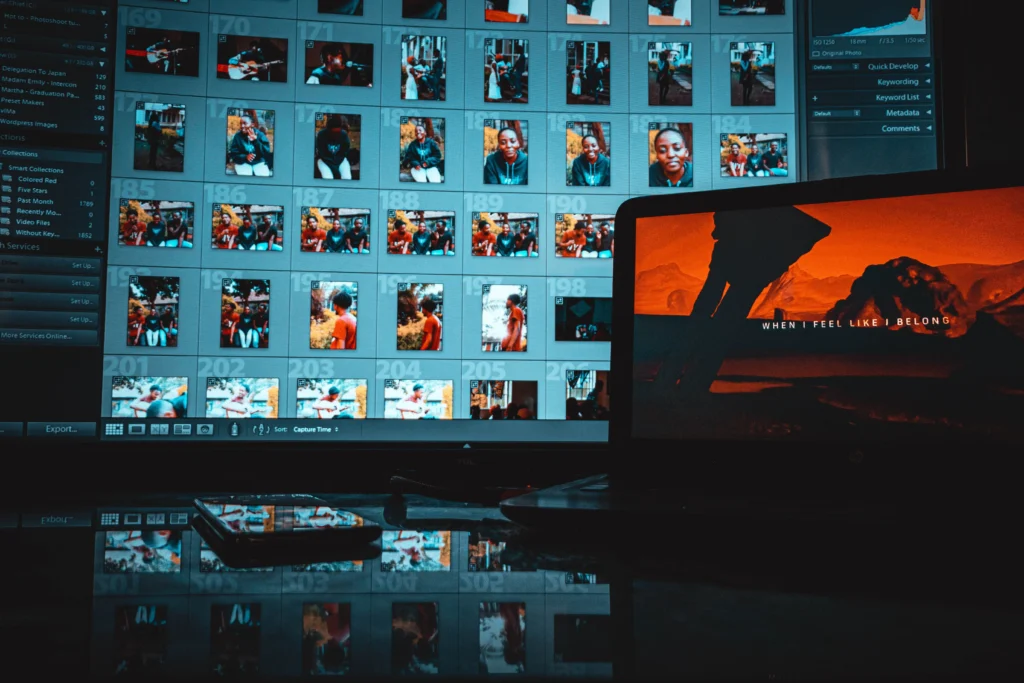
Choose the platform that best aligns with your current mobile operating system, activate smart backup, and enjoy the peace of mind of having your data protected.
FAQ (Frequently Asked Questions)
If I delete a photo from my phone, does it disappear from the synced cloud?
It depends on the app. In Google Photos and iCloud, if you delete using the official app with synchronization enabled, it will be removed from both. Use the "Free up space" option to delete only from your device.
Does automatic syncing consume a lot of smartphone battery during the day?
Modern systems manage this intelligently, prioritizing uploads when the device is connected to a charger and a stable Wi-Fi network, minimizing energy consumption.
What happens to my photos if I reach my free storage limit?
The service will automatically stop new uploads until you free up space by deleting old files or subscribe to a paid storage plan to expand your account quota.
Can I sync professionally shot photos in RAW format?
Yes. Platforms like Amazon Photos and Google Photos accept native RAW files, although these files take up significantly more of your storage quota due to their large size.