How to Recover Lost Photos on Your Cell Phone: Complete Guide
Adverts
Did you know that there are old photos, that you I thought I had lost, but are still available to you recover them?
Those images ancient, kept with care, disappeared in a wrong click or after a cell phone failure? The good news is that your photos can be recovered.
What do you want to Recover?
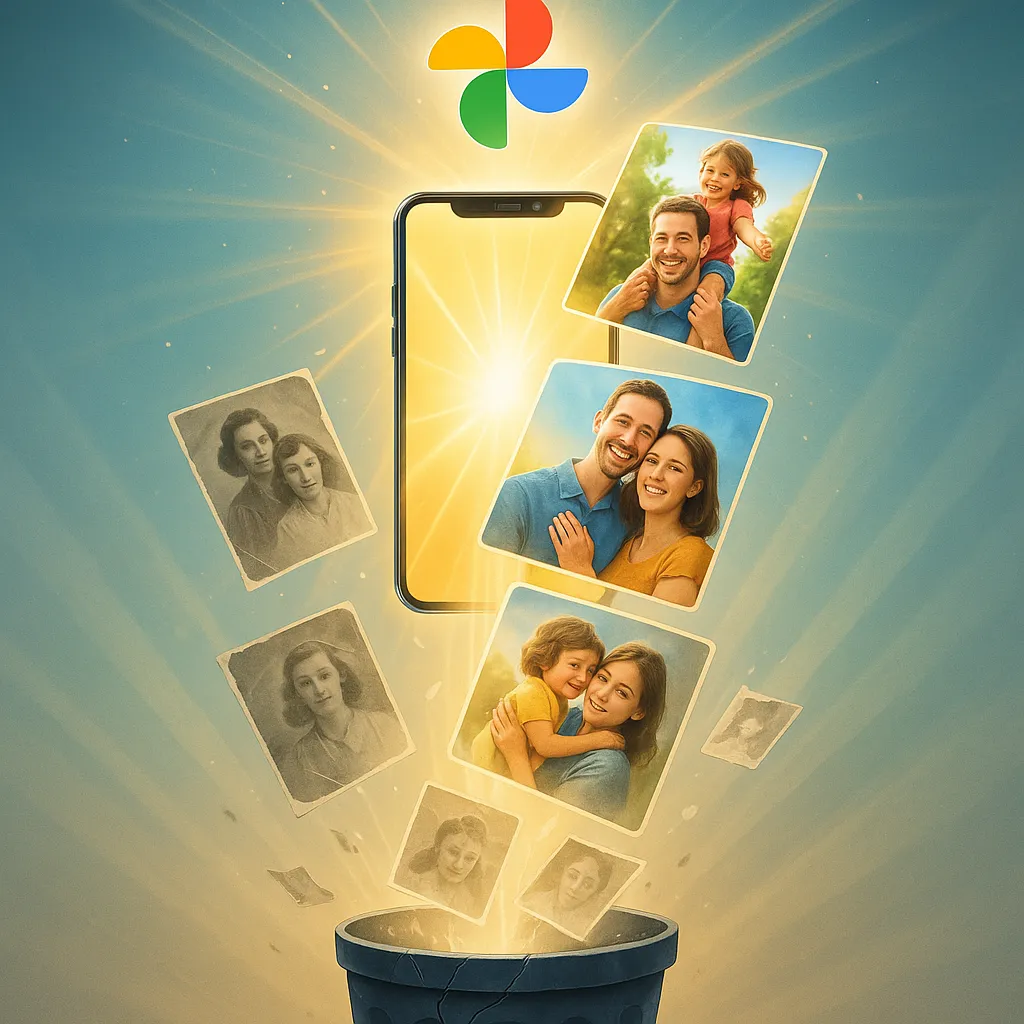
Even files deleted months or years ago can still be hidden in your device's memory. In this guide, you'll learn step by step how to recover deleted photos from your cell phone, either using specialized apps or native Android and iPhone methods.
Get ready: you'll smile again with those memories that seemed impossible to recover.
Adverts
Why can photos be recovered?
Many people don't know, but when a photo is deleted, it doesn't disappear immediately.
The system just frees up space for new files to be written.
This means that until this memory is overwritten, your photos can still be rescued.
This is exactly why the photo recovery apps can locate and bring back images that were invisible.
First steps before trying to recover photos
- Stop using your cell phone immediately.
The more you use your device, the greater the chance of new data overwriting your deleted photos. - Turn on airplane mode.
This prevents background applications from writing new information. - Do not install applications directly on your cell phone.
Whenever possible, download the app to another device and transfer it, or install and run it immediately after deleting.
By following these simple steps, you greatly increase your chances of recovery. all your images.
How to recover photos without apps
Android Trash Folder
On newer Android phones, there is a folder called Bin or Deleted Items.
It stores deleted photos for up to 30 days.
Just open the Google Photos, tap “Trash” and choose Restore.
Within seconds, your photos are back in the gallery.
Album deleted on iPhone
On iOS, the feature also exists.
Open the app Photos, go to Albums > Recently Deleted and restore the desired images.
This method is quick, free, and doesn't require any extra apps.
But if more than 30 days have passed, you will need to resort to other solutions.
How to recover photos with specialized applications
When native options don't work, the photo recovery apps.
They can search the device's memory and bring back images that seemed long lost.
1. Dumpster
O Dumpster works like a smart trash can.
It automatically saves all deleted photos and videos.
With it, just open the application and click on Restore.
Simple, fast and ideal for those who want prevention.
2. DiskDigger
O DiskDigger is one of the best known apps.
It performs a deep scan of your phone's memory and finds images that have already been deleted.
Even without root, it is possible to recover most of the photos.
With root, the results are even more impressive.
3. Tenorshare UltData
O Tenorshare UltData is a complete solution.
It not only recovers photos but also videos, contacts, and messages.
The interface is simple: just scan your phone and choose the files you want to restore.
It is considered one of the most reliable apps on the market.
4. Dr. Fone
O Dr. Fone is a data recovery classic.
Compatible with Android and iPhone, it offers advanced scanning features.
In addition to recovering photos, it also allows you to save files directly to your computer, increasing security.
5. Google Photos
It may seem obvious, but the Google Photos is one of the best allies.
If sync is enabled, all images are saved in the cloud.
Even if your phone is lost or formatted, your photos will be there, ready to be downloaded.
How to use the applications step by step
- Download the chosen application.
It is recommended to use Wi-Fi networks to avoid losing image quality. - Open the app and allow memory access.
This is essential for scanning. - Start scanning.
Wait a few minutes for the application to locate the deleted files. - Select the photos you want to restore.
Mark important images and click Recover. - Save in a safe place.
Preferably, store it in the cloud or on your computer to avoid further losses.
Photo Recovery FAQ
Is it possible to recover photos deleted years ago?
Yes. As long as the memory has not been overwritten, it is possible to recover even very old files.
Is recovering photos safe?
Yes, as long as you use trusted apps like the ones mentioned above.
Do I need to root my phone?
Some apps work better with root, but many can achieve good results without root.
Can I recover photos from WhatsApp?
Yes. Several apps can locate images received and sent via WhatsApp, even if they have been deleted.
Will the recovered photos have original quality?
Most of the time, yes. However, some may return with reduced quality.
Tips to avoid losing photos again
- Turn on Google Photos sync.
This way, your images are automatically saved in the cloud. - Make regular backups.
Save to an external hard drive, computer, or services like OneDrive and Dropbox. - Use smart trash apps.
Apps like Dumpster prevent permanent losses. - Avoid deleting photos in bulk without reviewing.
Often, in a hurry, we delete important images without realizing it.
Advantages of using recovery applications
- Speed: In minutes you can have your photos back.
- Practicality: just follow a few taps on the screen.
- Range: can recover very old photos.
- Security: renowned apps guarantee file privacy.
Limitations of these methods
- Not all photos are always recovered.
- In some cases, the free version of the app is limited.
- Overwritten photos definitely cannot be saved.
Even so, it's worth a try, as the chances of success are high.
Conclusion
Losing photos is desperate.
They are unique memories that carry moments, people and stories.
But now you know that Is it possible to recover lost photos on your cell phone?, whether using native functions or powerful applications like DiskDigger, Dumpster, Dr. Fone and Tenorshare UltData.
The key is to act quickly, follow the right steps, and then create backup habits.
This way, you can be sure that your memories will always be safe, even if your phone has problems.
It doesn't matter if the photos were deleted today or years ago: they may still be within your reach.
All you need is the right method and the decision to try.