
How did the popular Ctrl+C and Ctrl+V shortcuts come about?
Adverts
The creation of shortcuts Ctrl+C and Ctrl+V It revolutionized digital interactivity by introducing an intuitive and extremely fast way to duplicate information in modern operating systems.
Before this computational innovation, manipulating data required complex lines of code or manually rewriting text, which limited the productivity of editors, scientists, and programmers.
Understanding the historical origin of this key combination reveals the genius behind human interface design, conceived in the most advanced research centers of the 20th century.
We will explore the scientists responsible, the logic behind the keyboard letter choices, and the lasting impact of this tool on the usability of today's personal computers.
Adverts
Who invented the copy and paste commands, and when was that?
Computer scientist Larry Tesler developed the fundamental concepts of copy, cut, and paste between 1973 and 1976 at the Xerox PARC research center.
While working on the development of the Gypsy operating system alongside Tim Mott, Tesler sought to eliminate the use of rigid "modes" that hindered typing for users at the time.
His innovative approach allowed users to select a section of text and temporarily transfer it to an internal memory buffer, facilitating the movement of information without rewriting data.
The practical consolidation of shortcuts Ctrl+C and Ctrl+V This later occurred with the popularization of the graphical interface of the Apple Lisa computer in 1983 and the Macintosh in 1984.
Why were the letters C, V, and X chosen for these functions?
The choice of keys in the QWERTY layout followed a rigorous ergonomic logic, aiming to position the main controls within natural reach of the user's left hand.
The letter C was selected because it is the direct initial letter of the word. Copy in English, allowing for immediate mnemonic association with the function of duplicating the selected content.
The paste command used the letter V because of its physical proximity to C on the keyboard, visually representing an insertion point or an old editorial marking symbol.
The letter X was assigned to the cut command because of its graphic resemblance to scissors, completing the essential set of data editing tools along with the Ctrl key.
Timeline and Evolution of Editing Commands
| Release Year | Introducing System or Company | Key Combination Used | Impact on Digital Interactivity |
| 1973 – 1976 | Xerox PARC (Gypsy System) | Mouse Selection and Text Menu | Elimination of rigid modes in editing. |
| 1983 | Apple Lisa / Apple Macintosh | Command+X, Command+C, Command+V | Standardization of shortcuts in graphical interfaces |
| 1985 | Microsoft Windows 1.0 | Shift+Del (Cut), Ctrl+Ins (Copy) | Initial implementation in an IBM-PC environment. |
| 1990 onwards | Windows 3.0 and CUA Standards | Ctrl+X, Ctrl+C, Ctrl+V | Worldwide universalization of universal shortcuts |
How did Apple and Microsoft popularize these commands around the world?
Steve Jobs adopted the innovative ideas of Xerox PARC when designing the Lisa interface, replacing the Control key with the Command key on computers manufactured by Apple.
Apple's engineering team integrated the key combinations at the top of the drop-down menu system, teaching users how to use visual editing shortcuts.

Read more: Apps for testing iOS 27 features before the update.
Microsoft initially used different key combinations inherited from the IBM CUA standard, such as the Shift and Insert keys, which required two hands to activate the desired function.
However, the mass adoption of shortcuts Ctrl+C and Ctrl+V Windows 3.1 standardized this universal language across all modern personal computing platforms.
To explore detailed historical reports on the evolution of computer science and industrial patent archives, visit the digital collection of... Smithsonian Institution regularly.
What is the role of the clipboard in the technical functioning of these shortcuts?
The transfer area, technically known as clipboard, acts as a temporary space in RAM dedicated to storing data copied by the system user.
When you execute the copy command, the operating system captures the original content, encodes it in a specific format, and keeps it active in temporary memory.
Know more: Do You Know These Secret Keyboard Shortcuts?
The paste command reads this stored information and projects it to the new location indicated by the cursor, without erasing the data previously stored in the main buffer.
Advanced operating systems have expanded this capability, allowing multiple histories of text and images to be saved so that elements can be pasted alternately at any time.
How are artificial intelligence and the cloud transforming the act of copying and pasting?
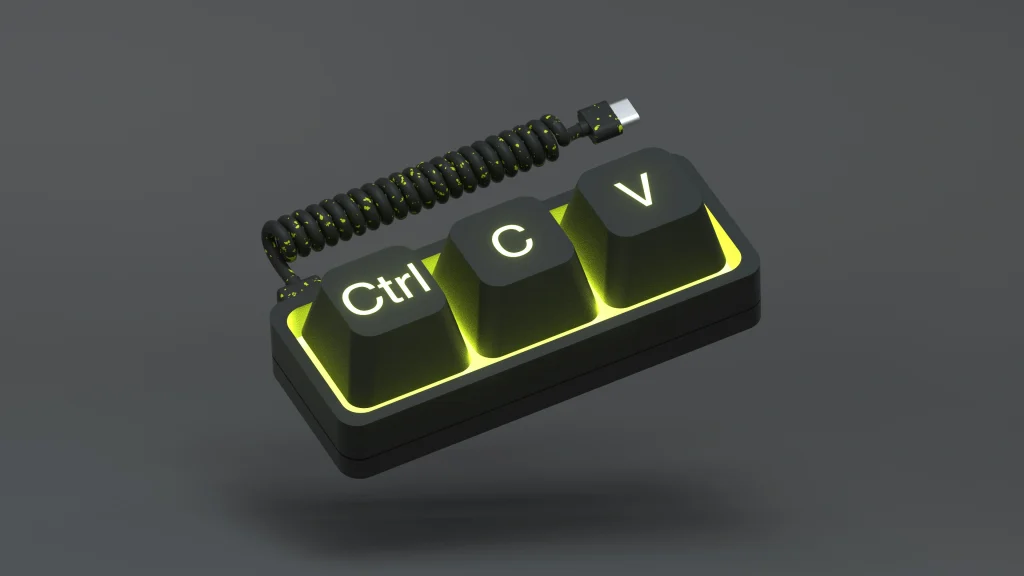
Seamless cloud synchronization allows you to instantly transfer content between mobile devices and desktop computers connected to the same user account wirelessly.
Modern devices use AI-powered optical character recognition to extract legible text directly from photos or PDF files.
Read more: Create useful shortcuts on your smartphone for frequently used tasks.
Integrated productivity tools automatically transform unstructured data into organized tables as soon as the paste command is activated in the destination document.
Consult up-to-date technical documentation on accessibility standards, software architecture, and development guidelines by accessing the portal of World Wide Web Consortium (W3C) continuously.
Frequently Asked Questions (FAQ)
Who was the official creator of the copy and paste function?
American computer scientist Larry Tesler is recognized worldwide as the creator of the copy, cut, and paste concepts during his work at Xerox PARC.
Why is the Ctrl key used in Windows and the Command key in Mac?
Apple developed the Command key to avoid conflicts with terminal system commands, while Microsoft adopted the Ctrl standard for IBM-compatible computers.
What happens to copied text when the computer is turned off?
The content present in the traditional clipboard is erased from RAM because this type of storage is volatile and depends on active electrical power.
Is it possible to recover a previously copied item that has been overwritten?
In modern systems with clipboard history enabled, you can press the Windows+V combination to view and select items copied earlier in the day.
The story behind the shortcuts Ctrl+C and Ctrl+V This demonstrates how well-designed ergonomic solutions shape overall productivity. These simple key combinations remain indispensable cornerstones of digital efficiency in any modern device.