The F keys on the keyboard have functions that are rarely used today.
Adverts
To the F keys on the keyboard They carry a historical legacy of computing that dates back to the mainframe terminals of the 1970s.
Originally designed to speed up command entry in systems without a graphical interface, these twelve keys remain untouched on top of current devices.
Although most modern users associate these buttons exclusively with controlling the screen volume and brightness, their native programming offers valuable productivity features.
Rediscovering these analog tools allows you to optimize your digital workflow, reducing the constant reliance on the mouse for repetitive office tasks.
Adverts
What are function keys and where did they originate in computing?
The twelve keys located in the top row of peripherals were introduced by IBM to serve as programmable triggers in data management systems.
Before the development of the mouse, the operator relied on these keys to save documents, close programs, or compile code on green phosphor screens.
Each button functioned as a "blank shortcut" that software developers configured according to the specific needs of their applications.
With the standardization promoted by the Windows operating system, many of these functions have become universal, remaining consistent across decades on different platforms.
The survival of F keys on the keyboard The forecast for 2026 proves that hardware engineering prioritizes compatibility with important legacy industrial systems.
Even in ultra-thin computers aimed at a young audience, the physical presence of this row ensures the execution of crucial low-level commands.
How can I activate classic commands without interfering with the media controls?
Modern notebook manufacturers configure the top-of-the-line models to prioritize hardware adjustments, such as Wi-Fi activation and keyboard backlight control.
This design change often obscures the original functions of the keys, requiring the user to press a modifier key called Fn.
To permanently restore the traditional behavior of these buttons, the user can lock the secondary function using the Fn shortcut combined with Esc.
This simple modification allows classic system calls to operate with a single click, streamlining programming and professional typing tasks.
To explore the technical specifications of new hardware components, analyze operating system updates, and verify official digital accessibility guidelines, the Microsoft (microsoft.com) It provides complete documentation for developers and consumers.
| Function Key | Native Action on Windows / Web | Practical Use in Everyday Life | Impact on Productivity |
|---|---|---|---|
| F1 | Opens the system help panel. | Provides quick solutions to operational questions. | Avoid browser searches. |
| F2 | Renames the selected file or folder. | Quick organization of local files | Eliminates the need for a paused double-click. |
| F3 | Activate the search bar in your browser. | Locates terms on long pages. | Accelerates data filtering. |
| F5 | Refresh the page or clear the cache. | Fixes web loading errors. | Recharges data in real time. |
| F11 | Turns full screen on or off. | Maximizes the useful visual workspace. | Eliminates visual distractions on the screen. |
Why do productivity software programs still rely on these analog tools?
Professionals who work with large volumes of data in Microsoft Excel use these buttons extensively to accelerate the construction of complex financial models.
The F4 key, for example, instantly switches between relative and absolute references within a formula, automatically inserting dollar sign symbols.
Similarly, pressing F9 immediately calculates all active formulas in a large spreadsheet that is set to manual processing mode.
This precise control over the computer's processing power prevents crashes in corporate machines that handle massive databases.
Understanding the automation map proves that the F keys on the keyboard They continue to be the best allies for those seeking high operational performance.
Replacing long sequences of clicks with a single physical command reduces muscle fatigue in typists' hands throughout the day.
When does using these keys speed up web browsing?
Modern internet browsers hide advanced features that can be accessed instantly via commands on the top row of the input device.
Pressing the F6 key moves the system cursor directly to the address bar, allowing you to type a new URL without using the mouse.

For students and researchers who engage in dense reading on academic websites, the F11 key transforms the browser into a clean and immersive interface.
Read more: Do You Know These Secret Keyboard Shortcuts?
This mode removes secondary tabs, bookmarks bars, and system notifications, creating a digital environment focused exclusively on the displayed text content.
Ensuring control over these physical interactions optimizes the routine of those who work with multiple web systems simultaneously in modern offices.
Optimizing browsing speed reduces the time spent on bureaucratic tasks, allowing you to focus your mental energy on high-value creative and strategic activities.
Which system development features utilize the last key in the row?
The F12 key is widely recognized in the tech community as the gateway to browser developer tools.
By clicking this button, the user opens the code inspection panel, where they can analyze HTML elements, JavaScript scripts, and CSS styles.
Know more: Why was the “Ctrl+Alt+Del” key created?
This tool allows security analysts to verify link integrity, test loading speed, and fix structural layout bugs.
In traditional text editing applications, the same button operates differently, directly activating the file's advanced saving window.
To keep up with technology news, check out in-depth reviews of new computer peripherals, and access specialized software technical support forums, the Brazilian portal TechTudo (techtudo.com.br) It offers daily content aimed at digital enthusiasts.
Rediscovering the value of classic shortcuts in the age of touchscreens.
Maintaining historical design standards in modern computers demonstrates that true operational efficiency withstands fleeting technological fads.
Although touch-sensitive panels and voice commands are gaining ground, the physical click of a structured key remains irreplaceable.
Read more: Interesting facts about mechanical keyboards and their current popularity.
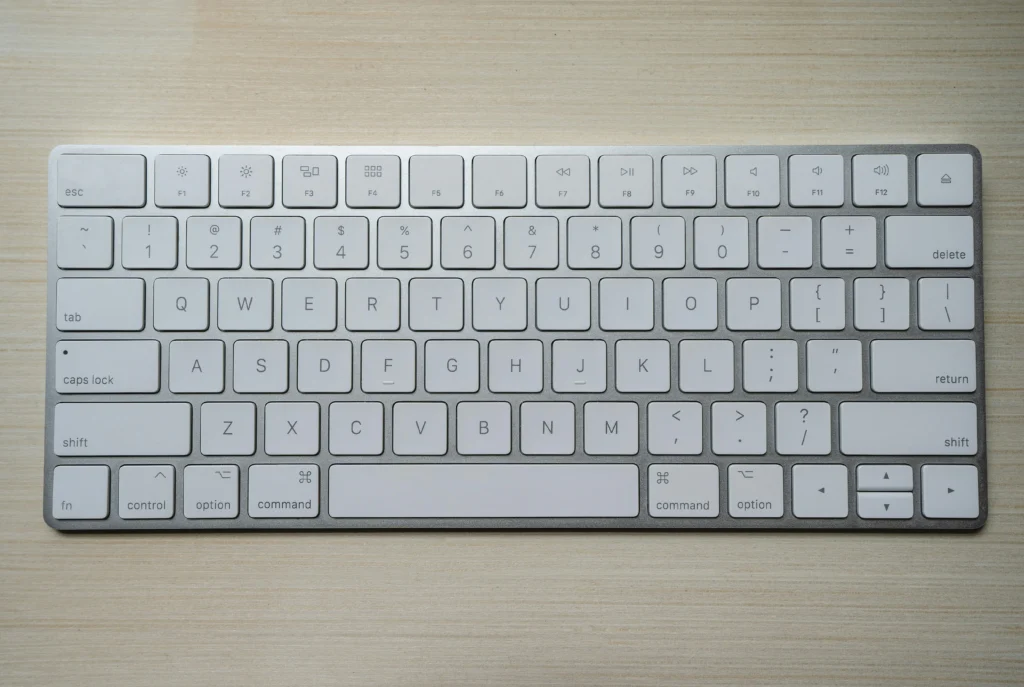
Analyze the operational commands listed in our function table, disable the Fn key lock, and test the shortcuts in your browser.
By incorporating these classic buttons into your daily routine, you recapture the original speed of computing and transform your productivity in front of screens.
Frequently Asked Questions about Function Keys
Is it possible to remap function keys to run specific user programs?
Yes, using official keyboard management software from the manufacturer or operating system utilities, it is possible to program any key to open applications.
What happens if I press the Alt key along with the F4 key?
This sequence of commands sends a direct close order to the program window that is active at the time of typing on the screen.
Why do some modern compact keyboards completely remove that top row?
Models geared towards minimalism or the gaming audience eliminate these buttons to reduce the physical size of the product, integrating the functions into the ordinary number row.
Can constant use of function keys cause premature wear on the peripheral?
No, current mechanical and membrane switches are designed to withstand millions of impacts, ensuring high durability even under heavy corporate use.