Tips for organizing notifications and reducing daily interruptions.
Adverts
Finding the best Tips for organizing notifications It's the first step towards regaining control of your attention in an increasingly noisy digital environment.
By 2026, the attention economy has reached a level of sophistication where every vibration in your pocket is an invitation to productive derailment.
This practical guide is designed to transform your smartphone from a source of anxiety into a precision tool.
Let's explore the neuroscientific impact of constant interruptions and how to set up smart filters to prioritize what really matters.
Adverts
By mastering these techniques, you not only save time, but you also protect your mental health against decision fatigue.
Consciously managing digital reminders can give you hours of deep focus back into your work week, and setting this up requires less effort than you might think.
What are "ghost" notifications and why are they annoying?
Phantom notifications occur when the brain creates the illusion of a vibration, signaling a state of hypervigilance that silently drains your cognitive energy.
This phenomenon is a direct reflection of the excessive stimuli we receive from delivery apps, banks, and social media, which keep us in a constant state of alert.
There's something unsettling about how passively we accept that any algorithm can interrupt a moment of leisure or an important meeting.
This is often misinterpreted as connectivity, but it is actually a form of digital servitude that even harms sleep quality.
When you search Tips for organizing notifications, The central goal is to reduce the amount of cheap dopamine that each "ping" injects into the nervous system.
Without this organization, deep focus becomes a relic of the past, making it impossible to perform tasks that require intellectual stamina and creativity.
How to configure Focus Mode strategically?
Modern systems allow you to create personalized profiles that activate automatically depending on your activity.
Read more: Apps to customize notifications and reduce interruptions.
A "Deep Work" profile should be ruthless: silence everything except emergency calls from pre-selected contacts and security alerts.
Upon arriving home, a "Personal Focus" mode can hide work emails, ensuring that dinner isn't tainted by work-related issues.
This clear separation between spheres of life is the biggest barrier you can build against technological burnout.
To better understand how software design is engineered to keep us dependent on alerts, the Center for Humane Technology It offers valuable resources on digital ethics.
It's essential reading for anyone who wants to understand the inner workings of what goes on behind the screen.
Why is manual screening still superior to automatic screening?
Although AI in 2026 may be able to predict which messages are important, its judgment about what deserves immediate attention remains irreplaceable.
Spending ten minutes reviewing each app's permissions is a high-return investment that no algorithm can make for you.
Often, we allow shopping apps to send us promotional alerts that we haven't even opened, creating unnecessary visual noise.
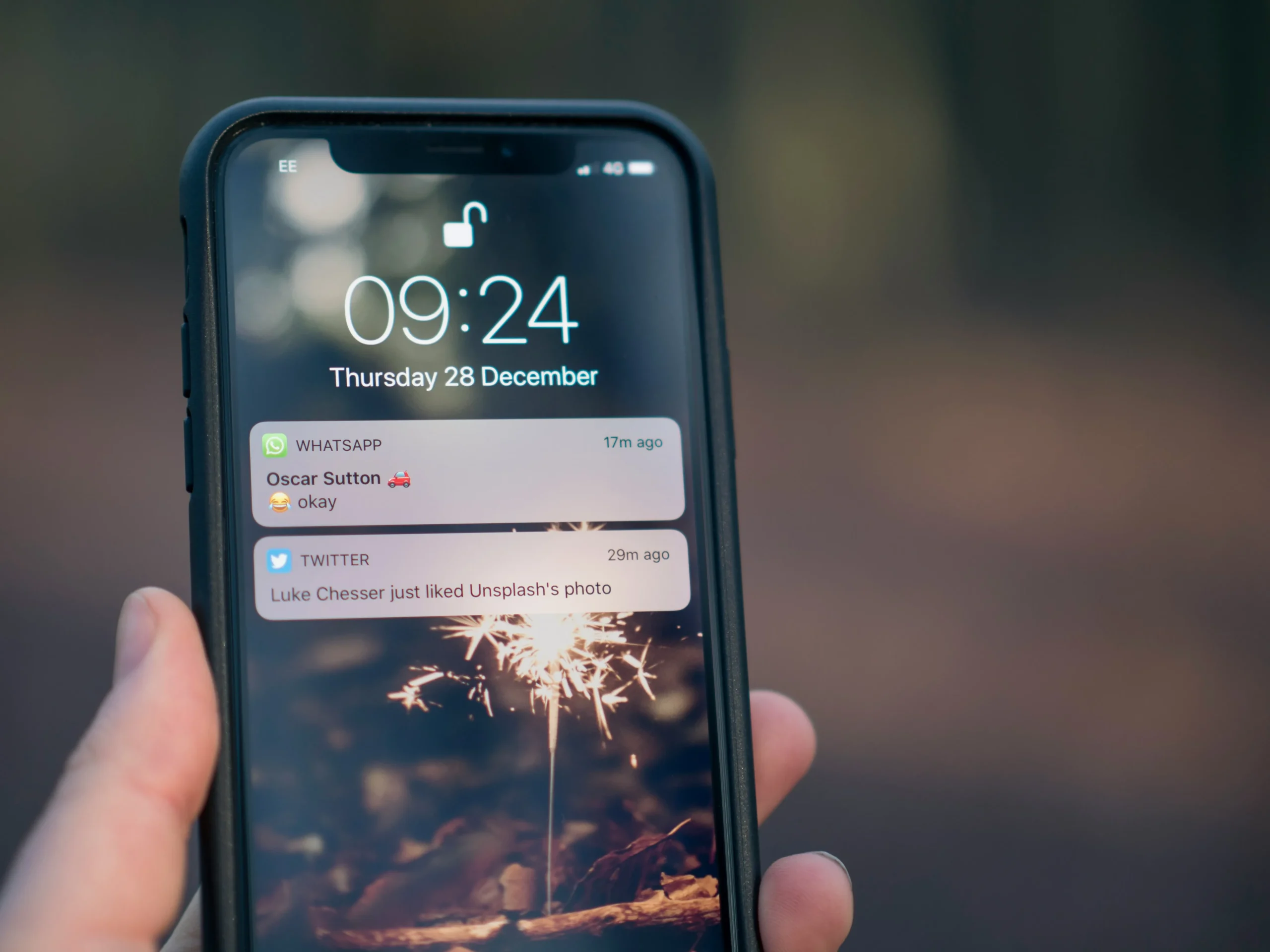
Disabling the red "stamps" on the icons also reduces the visual trigger of anxiety every time you unlock your device.
Follow good practices. Tips for organizing notifications It involves accepting that most information can, and should, wait.
Grouping notifications into scheduled summaries allows you to consume them in a single, controlled time block, without fragmenting your afternoon.
Effectiveness of Notification Methods in 2026
| Configuration Type | Impact on Focus | Interruption Level | Usage Recommendation |
| Totally Silent | Most High | Null | Deep writing and creation |
| Scheduled Summary | High | Low | Social networks and news |
| Critical Alerts | Average | Controlled | Security and monitoring |
| Default Configuration | Low | Most High | Avoid at all costs. |
| Driving/Sleep Mode | Most High | Minimum | Physical safety and rest |
Which apps should be silenced immediately?
Mobile games, social media, and fast-food apps are the biggest culprits, as they use notifications to create artificial sense of urgency.
These alerts rarely communicate facts; they merely attempt to re-engage the user in an endless cycle of consumption.
When applying Tips for organizing notifications, Start by disabling notifications from apps you haven't opened in the last week.
If the information wasn't vital seven days ago, it certainly doesn't need to interrupt your train of thought now.
Keep only direct message alerts active, but configure them so that they don't show previews on the lock screen.
This preserves your privacy and prevents accidental notifications from distracting you during an important conversation with the person in front of you.
When should you use the "Scheduled Summary" technique?
Scheduled summaries group non-urgent alerts to be delivered at specific times, such as at the beginning or end of the workday. This prevents your phone from lighting up the screen with every like or irrelevant promotional email.
This technique is excellent for combating the fear of missing out (FOMO), as it ensures you will see the information, but on your own terms.
Know more: Tips to reduce digital distractions and improve your daily focus.
You stop being a passive recipient and become a conscious data manager.
Implement these Tips for organizing notifications It transforms your relationship with your smartphone. There's an indescribable peace in looking at a clean lock screen, knowing that nothing urgent has been ignored, only the noise has been filtered out for the right moment.
The real impact of digital organization on mental health.
Reducing interruptions drastically lowers levels of cortisol, the stress hormone triggered by every sudden auditory alert.
An organized digital environment reflects a calmer state of mind, allowing decisions to be made clearly, not impulsively.
Know more: The 7 Best Personal Organization Apps: Which One Really Works?
In the long run, this digital hygiene restores your working memory capacity and patience for lengthy activities, such as reading a book.
The brain unlearns how to expect instant gratification every five minutes of silence.
To deepen your understanding of the balance between technology and well-being, the Common Sense Media It provides excellent guides on healthy habits for all ages.
Your time is your most precious resource; don't let a delivery app waste it with a coupon.
Organizing your notifications is an act of respect for yourself and your life goals. Rediscover the pleasure of a mind that can finish what it started.
FAQ: Frequently Asked Questions about Notifications
Could I miss emergency calls if I mute everything?
No. The systems allow you to configure "Emergency Exceptions" for favorite contacts or repeated calls from the same number within a short period of time.
How can I find out which apps interrupt me the most?
Access the "Screen Time" or "Digital Wellbeing" settings. There you will find an exact ranking of which apps are the noisiest in your daily life.
What is the notification summary on iOS and Android?
It's a feature that collects low-priority alerts and delivers them in a single visual block at times you define, avoiding piecemeal interruptions.
Does disabling notifications really save battery?
Yes. Every time the screen turns on or the processor searches for updates in the background to send an alert, energy is consumed. Fewer alerts mean more battery life.
Is "Do Not Disturb" mode the same as Focus Mode?
"Do Not Disturb" is a general switch that silences everything. Focus Mode is granular, allowing you to choose which apps can "break through" the block depending on the context.