How to turn your phone into a universal remote control
Adverts
To know turn your phone into a universal remote control is the secret to simplifying your digital life in 2025.
Your smartphone, already the center of so many activities, can easily take control of your entertainment and automation devices.
Let's explore how you can centralize control of your smart home, whether using technologies like Infra-red (IR Blaster) or the ubiquitous Wi-Fi connection.
Get ready to retire that drawer of lost controls and enjoy a more cohesive and convenient user experience.
Adverts
Why You Should Wish Turn Your Cell Phone into a Universal Remote Control?
Are you tired of endlessly searching for the remote control for your TV, air conditioning or sound system?
The experience of having a remote control for every device in your home is, at the very least, frustrating and outdated in today's connected world.
Modern convenience calls for unification, and turn your phone into a universal remote control perfectly meets this demand.
Your smartphone is always nearby, making it the ideal tool for managing your surroundings.
Think about the convenience of sitting on the couch and, with a single tap on your phone, adjusting the temperature and turning on the television at the same time.
It's the synergy between your devices that redefines what it means to have control in the digital age.
It's not just about avoiding the clutter of physical controls, but about gaining advanced functionality that goes far beyond traditional buttons.
You'll have a sophisticated, always-up-to-date control hub in your hands.
+ Why did old phones have huge antennas?
What is Required to Turn Your Cell Phone into a Universal Remote Control?
There are two main technologies that make it possible turn your phone into a universal remote control: Infrared (IR Blaster) and Wi-Fi connection.
The choice depends primarily on your smartphone and the devices you want to control.
Infrared (IR Blaster): A Classic Technology in Modern Smartphones
Infrared, or IR Blaster, is a physical feature present in some smartphones, especially in models from brands like Xiaomi.
It allows your cell phone to imitate the signal emitted by traditional remote controls.
To use infrared, you need a compatible app and your phone must be pointed at the device, like a regular remote control.
This is the ideal solution for controlling older devices that don't have smart connectivity, such as a CRT TV or DVD player.
In 2025, manufacturers like Xiaomi continue to invest heavily in IR Blaster, offering models like the POCO X6 Pro 5G and the Redmi Note 13 Pro.
These devices demonstrate the continued value of this technology for appliance control.
Read too: How to protect your computer from viruses without spending anything
Wi-Fi and Dedicated Apps: The Power of Smart TVs and Connected Devices
Most modern devices such as Smart TVs, video devices, streaming (Chromecast, Roku) and audio systems, uses the network Wi-Fi for communication.
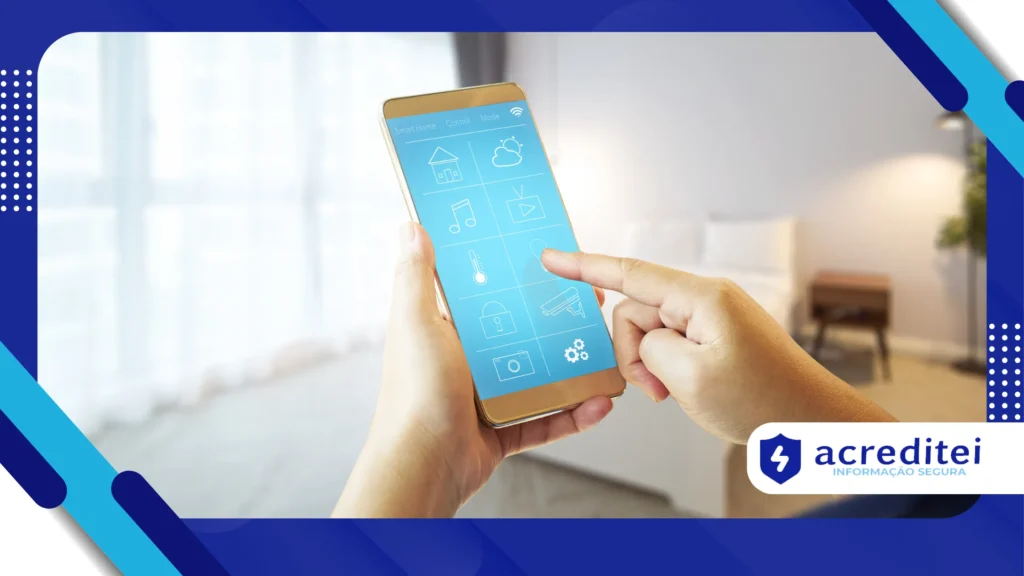
In this case, your cell phone acts as a digital controller through an application.
Applications like Google Home, LG ThinQ It is Samsung SmartThings allow you to manage devices directly over the network, without the need to point your cell phone.
This method offers advanced features such as a virtual keyboard and voice control, making the interaction richer.
The basic premise is to ensure that both the cell phone and the device to be controlled are connected to the same Wi-Fi network.
This is the most commonly used approach today for those seeking turn your phone into a universal remote control in the smart home.
A pertinent analogy: if infrared is like an old-fashioned key that opens a single lock, Wi-Fi is like a digital master key, opening multiple doors connected to the same system.
+ The best apps for scanning documents on your cell phone
What are the most used applications for Turn Your Cell Phone into a Universal Remote Control?

The app store is full of options that promise turn your phone into a universal remote control, but some stand out for their compatibility and robust functionality.
1. Native Apps (Google Home, SmartThings, LG ThinQ)
Many Smart TVs have their own remote control apps, which offer the best integration with the brand.
O Google Home controls Android TV and Chromecast devices, for example.
Samsung uses the SmartThings to unify control of all your appliances and TVs. In turn, LG offers the LG ThinQ, which manages the brand's televisions and other smart devices.
Choosing your Smart TV's native solution generally ensures the best user experience and the most complete feature compatibility.
2. Universal Apps (Mi Remote Controller and UniMote)
For those who have a cell phone with IR Blaster, the Mi Remote Controller from Xiaomi is often the best option, supporting thousands of models of TVs, air conditioners and projectors.
It is one of the most versatile applications on the market.
O UniMote is another popular app, available for Android and iOS, that supports both Wi-Fi and infrared control (on supported devices).
This application stands out for its simple interface and extensive code database.
Many apps, like UniMote, offer a free basic version but use ads to monetize.
You can, if you prefer an interruption-free experience, choose to purchase the version premium of the service.
How to Set Up Universal Remote Control on Your Cell Phone?
Setup varies slightly depending on the technology (IR or Wi-Fi), but the basic steps are intuitive and focused on user usability.
Wi-Fi Setup (Smart TV and Devices) Streaming)
- Download the App: Install the appropriate app (such as Google TV or SmartThings) from your phone's app store.
- Network Connection: Make sure that your mobile phone and target device (TV, streamer) are connected to the same Wi-Fi network. This is a crucial step.
- Pairing: Open the app, tap the remote control icon or "Add Device," and follow the on-screen instructions. A PIN code is usually displayed on the TV for confirmation, ensuring pairing security.
- Control: Once paired, the virtual keyboard and control buttons appear on your phone, ready to use.
Infrared Configuration (Cell Phones with IR Blaster)
- Check the Sensor: Confirm that your smartphone has the infrared sensor (IR Blaster). You can use apps like CPU-Z to analyze the resources of hardware of the device.
- Install the App: Download a compatible app, such as Mi Remote Controller, which uses the IR sensor for communication.
- Add Device: In the app, select the “Add control” option and choose the device category (TV, Air Conditioning).
- Brand and Test: Enter your device's brand, and the app will attempt to send test commands, such as turning them on and off. Once a working code is found, the remote control profile is saved.
What are the Real Advantages in Turn Your Cell Phone into a Universal Remote Control?
Adopting your cell phone as a universal remote control offers clear benefits that directly impact your daily routine and the organization of your home.
1. Immediate Centralization and Organization
The biggest advantage is the eliminating the chaos of multiple remote controlsInstead of having a pile of plastic on your desk, you manage everything from the one device you always have with you. Centralization is an undeniable aesthetic and functional gain.
2. Advanced and Efficient Control Features
Your phone goes far beyond the basic volume and channel buttons. You can use the on-screen keyboard to type in services. streaming, use voice commands with built-in assistants, or create automated routines.
Imagine you've created a routine called "Cinema Session" in your control app. When you activate it, the TV turns on, the soundbar activates, and the smart lights dim, all with a single tap on your phone. This customization is true Smart Home experience.
3. Enhanced Accessibility and Inclusion
For people with certain motor difficulties, or for those who simply lose controls frequently, the cell phone offers a larger and more intuitive interface.
Control apps often support native smartphone accessibility features.
Plus, with the virtual remote, your TV or air conditioner control is always right where you are, within range of your Wi-Fi network or infrared signal, eliminating endless searching.
Which Current Cell Phones (2025) Have Infrared for Universal Control?
Although most manufacturers, such as Apple and Samsung, have abandoned the feature, the Xiaomi continues to be a leader in including IR Blaster in its models.
| Manufacturer | Model | Main Feature (2025) |
| Xiaomi | POCO X6 Pro 5G | Excellent performance and built-in IR Blaster |
| Xiaomi | Redmi Note 13 Pro | High resolution camera and IR support |
| Motorola | Edge 50 Fusion | Some global variants include the feature (need to check) |
This table shows that, in 2025, the Xiaomi brand dominates the segment of smartphones that natively allow turn your phone into a universal remote control via infrared.
A relevant fact that highlights the importance of universal connectivity: According to the market research firm Statista, the number of homes with smart home technologies in Brazil, which depend directly on Wi-Fi connections and central controls, is expected to exceed 10 million by 2027.
What are the Challenges and Limitations to Turn Your Cell Phone into a Universal Remote Control?
Despite the many advantages, it is essential to be aware of the limitations inherent in each type of technology to avoid frustration.
Limitations of Infrared
The infrared signal requires a direct line of sight between the phone and the device, just like traditional remotes. Walls or objects block the signal, limiting its use to a single room.
Second, if your phone doesn't have a factory-installed IR blaster, you won't be able to use IR-based apps. Adding an external adapter is possible, but generally less practical.
Wi-Fi Connection Limitations
Your Wi-Fi connection depends on the stability of your home network. If your internet connection goes down or your router fails, your device's control will also be interrupted.
Additionally, very old devices (such as plasma TVs without Smart functionality) do not have the ability to connect to Wi-Fi or control apps.
They will remain dependent on physical control, or an IR Blaster.
How to Create Smart and Personalized Routines on Your Universal Control?
The true magic of turn your phone into a universal remote control lies in the ability to automate simple tasks.
You can make multiple devices respond to a single command.
Most control apps, like Google Home or SmartThings, allow you to create “Scenes” or “Routines.”
Think of it as a sequence of pre-programmed actions triggered by a word or touch.
For example, when you leave for work, you can trigger the "Leave Home" routine. Your phone sends the command to turn off the Smart TV, increase the air conditioning temperature (to save energy), and turn on the outdoor porch light.
You can schedule routines for specific times, like turning on the bedroom heater 15 minutes before your alarm on a cold morning. This is predictive, streamlined control, not just a remote control.
The Future of Universal Control: Voice Assistants and AI
The future of universal control is already underway, with the increasing integration of voice assistants. Why reach for your phone when you can just speak the command?
Assistants like Alexa and Google Assistant turn your phone into a voice command center, eliminating the need for touch in anything. The cell phone, in this context, becomes the intermediary that executes the spoken command.
Artificial intelligence will enhance routines, learning your habits and adjusting the environment automatically, without you even needing to issue a command. Imagine the air conditioning turning on when the AI senses the weather is warming up and you're home.
The constant evolution of firmware and the introduction of new Smart Hub models demonstrate that centralizing home control is a priority.
Conclusion: Master Your Home with Your Cell Phone
In summary, turn your phone into a universal remote control It's more than a convenience; it's an essential modernization of your home experience.
Whether using infrared on classic devices or Wi-Fi for Smart TVs and smart routines, your smartphone is the master key to your home.
By adopting this technology, you gain organization, functionality, and prepare your home for the future of automation.
With so much cutting-edge technology accessible, why are you still content with having a collection of controllers lost among the ear pads?
Frequently Asked Questions
Can my iPhone be a universal IR remote?
No, iPhone models have never included an infrared sensor (IR Blaster). You can only use it as a remote control for Smart TVs and devices streaming that connect via Wi-Fi.
What happens if my cell phone doesn't have infrared?
If your cell phone does not have infrared, you can control it only via Wi-Fi (for Smart TVs and connected devices) or buy one hub universal control, such as models from Positivo or Intelbras, which receive commands from your cell phone via Wi-Fi and retransmit them via infrared to your devices.
Can I control my air conditioner with my cell phone?
Yes, you can. If your phone has an IR blaster, you can do it directly. Otherwise, you can use a smart hub (like the ones mentioned in the previous topic) that acts as a bridge between your phone's Wi-Fi remote and the air conditioner's infrared signal. To understand how these hubs work, check out this complete guide on Smart Universal Control.