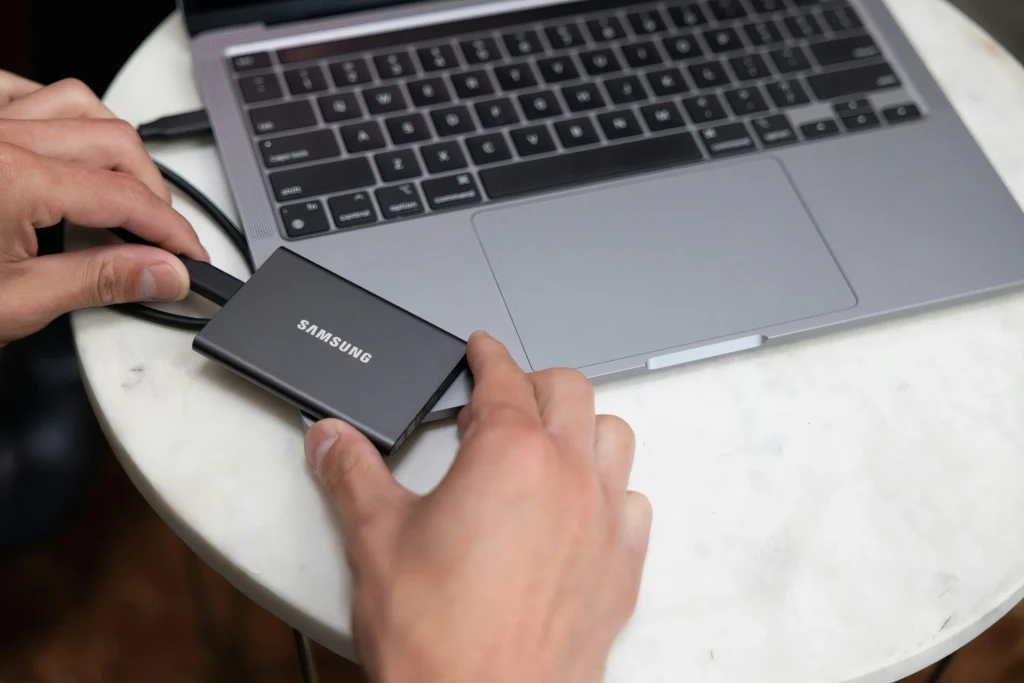
Portable external SSD accelerates backup and file transfer.
Adverts
Investing in a Portable external SSD It has become the smartest technical decision for professionals and content creators who demand high speed in their storage routine.
The continuous evolution of NVMe flash memory has transformed these small devices into true productivity engines, allowing massive volumes of data to be moved in seconds with complete security.
Overcoming the physical limitations of traditional mechanical hard drives, this technology offers durability against drops, extreme portability, and universal compatibility with modern computers, cell phones, and consoles.
What is a portable solid-state drive and how does it outperform a traditional hard drive?
Solid-state drives utilize non-volatile memory integrated circuits to store digital information, completely eliminating any type of internal moving mechanical parts.
Adverts
This older magnetic architecture of conventional hard drives suffered from extremely slow read speeds and a high risk of irreparable data loss from moderate physical impacts.
Without needles or spinning disks, flash technology delivers near-instant access times, as well as resistance to vibrations and significantly lower energy consumption in laptops.
To understand international bus standards, transfer buses, and USB-C connector specifications, visit the official website of [Company Name]. USB Implementers Forum.
Understanding this structural difference explains why replacing older hard drives with solid-state drives has become the gold standard in the technology and digital production industry.
How do read and write speeds optimize heavy workflows?
The continuous transfer rate determines how quickly large files, such as 4K resolution videos or complex databases, are copied across the system.
Modern models operating on the USB 3.2 Gen 2x2 or Thunderbolt bus achieve impressive speeds that easily exceed 2,000 megabytes per second.
Editing audiovisual projects directly within the external drive eliminates the memory bottleneck of the main computer, freeing up valuable internal space without compromising operational fluidity.
Below, we present a comparative table detailing real technical performance data, connection buses, and average speeds recorded between different storage technologies on the market.
| Device Type | Bus / Interface | Average Reading Speed | Estimated time to move 100 GB |
|---|---|---|---|
| Conventional External Hard Drive | USB 3.0 / SATA III | 110 MB/s 140 MB/s | Approximately 13 to 15 minutes |
| Portable SATA SSD | USB 3.2 Gen 1 | 450 MB/s 550 MB/s | Approximately 3 to 4 minutes |
| Portable NVMe SSD | USB 3.2 Gen 2 | 1,000 MB/s 1,050 MB/s | Approximately 1 minute and 40 seconds |
| Ultra-fast NVMe SSD | USB 3.2 Gen 2×2 / USB4 | 2,000 MB/s 3,800 MB/s | Less than 45 seconds |
Adopt one Portable external SSD High-performance technology radically transforms daily routines, ensuring efficiency in performing critical backups and large data transfers.
Why do hardware encryption and durability protect your data?
The absence of moving parts ensures superior resistance against accidental drops, severe vibrations, and natural wear and tear caused by daily transport in backpacks or pockets.
Many manufacturers coat the device body with high-density rubber and aluminum frames, offering certifications against water and dust in harsh outdoor environments.
Hardware-based 256-bit AES encryption protection prevents unauthorized access to confidential files if the drive is accidentally lost or stolen.
This combination of physical integrity and logical security makes the investment indispensable for corporations, photographers, lawyers, and executives who handle highly sensitive information.
Protecting digital assets requires reliable equipment capable of handling daily use without experiencing sudden failures in reading the operating system partitions.
Which model and capacity should you choose to meet your daily needs?
Choosing the ideal capacity depends directly on the volume of files processed and the budget available for investing in the renewal of your digital ecosystem.
1 Terabyte drives are perfectly suited for students and professionals seeking fast backup of documents, personal photos, and libraries of lightweight everyday programs.
Read more: Universal USB-C connections are changing mobile devices.
Options with 2 or 4 Terabytes of storage are recommended for filmmakers, designers, and gamers who need to store large, current-generation games without sacrificing loading speeds.
Check the cable's compatibility with your Thunderbolt ports or USB-C connections. Portable external SSD ensures maximum utilization of the contracted speed rate.
Researching detailed technical specifications before finalizing a purchase avoids operational bottlenecks caused by old connectors installed in older or simpler laptops.
How do I set up automatic backup routines to prevent data loss?
Connecting the drive to the computer allows you to configure native operating system utilities to perform daily backups without requiring manual user intervention.
The three-two-one backup rule recommends keeping three copies of important files, stored on two different media, with at least one version kept off-site.
Know more: Difference between SSD and HDD and which one to choose in 2025
Alternating between cloud backup and physical solid-state drive storage ensures immediate system recovery in the event of an unexpected internet outage.
Keeping your files organized into structured folders speeds up the search for older documents, optimizing the time spent managing your most valuable digital collections.
To keep up with hardware reviews, stress tests, and benchmarking on digital storage units, consult the technical publications on the portal. Tom's Hardware.
Maximum productivity and security for your digital collection.
The definitive transition to solid-state storage systems represents a watershed moment in data management, combining unparalleled speed with robustness and complete practicality.
Read more: NVMe 5.0 SSD: Real-world performance tests and what changes for gamers and professionals.
Protecting professional files against mechanical failures and operational slowdowns is a fundamental measure for those seeking excellence and continuity in today's job market.
Choose the drive that best meets your technical needs and experience the peace of mind of keeping backups up-to-date and accessible anywhere with extreme speed.
FAQ (Frequently Asked Questions)
Can I connect an external solid-state drive directly to my phone?
Yes, modern devices with a USB-C port recognize the drive natively, allowing you to transfer photos, videos, and documents without needing an intermediary computer.
What is the real difference between NVMe and SATA connection technologies?
NVMe technology uses more advanced protocols that achieve speeds exceeding 1,000 MB/s, while the SATA standard limits rates to 550 MB/s.
Does using an external device to run console games affect performance?
It doesn't affect performance; on the contrary, games installed on external solid-state drives load scenarios and levels much faster than on older mechanical hard drives.
Is it necessary to format the device before first use on Mac and Windows?
Many drives come formatted in exFAT, a system compatible with both operating systems, but formatting in the native standard can improve integration with automatic backups.