How to use technology to reduce monthly costs without changing your plan or equipment.
Adverts
The smart decision of Using technology to reduce monthly costs It starts with optimizing what you already have.
In a volatile economic environment, efficiency becomes your greatest financial ally. You don't need to buy the latest "eco-friendly" devices or switch to lower-end phone plans to see results.
Often, financial waste is hidden in inefficient default settings, resource-intensive applications, and a lack of digital monitoring.
The secret lies in transforming your smartphone and computer into consumer auditing tools.
Adverts
Simple software adjustments and data-driven behavioral changes can generate surprising annual savings.
This article explores technical and practical methods to stem the bleeding of household finances. We'll analyze how data management, energy, and digital signatures can be immediately refined. Get ready to regain control of your budget using the resources you already have at your disposal.
Summary
- Why is digital inefficiency so costly today?
- What hidden settings are using up your mobile data plan?
- How does energy monitoring via apps reduce your electricity bill?
- Where can I find and cancel "phantom subscriptions"?
- When does storage optimization prevent cloud upgrades?
- Table: Comparison of Annual Savings with Optimization
- Conclusion
- FAQ (Frequently Asked Questions)
Why is digital inefficiency so costly today?
Modern technology is designed for convenience, and this convenience often ignores the efficient use of resources.
Devices come from the factory configured for maximum performance, which unnecessarily drains battery and data.
Manufacturers prioritize user experience, keeping background updates and excessively bright screens enabled by default.
This "thirsty" behavior of the devices results in more frequent recharging cycles. Consequently, this subtly increases your electricity bill over twelve months of continuous use.
In addition to hardware, software also plays a crucial role in increasing your monthly fixed expenses.
Streaming apps, for example, tend to automatically play content at the highest possible resolution. If you're not on a Wi-Fi network, your data plan will be consumed in minutes.
Understanding this factory logic is the first step to reversing accumulated financial losses. By taking manual control of these settings, you stop paying for the excessive comfort that companies impose.
Technical customization is, in fact, a robust strategy for protecting your assets.
+ Apps and websites for freelancers and students in Brazil that help automate tasks.
What hidden settings are using up your mobile data plan?
Excessive mobile data usage is one of the biggest budget culprits, forcing unnecessary plan upgrades.
Most users are unaware that social media apps automatically pre-load videos. This feature, called "autoplay," consumes precious gigabytes even if you don't watch the content to the end.
Disabling autoplay in each app's settings is an immediate and effective containment measure.
Another feature that should be audited is "Wi-Fi Assist" or "Smart Network Switching." This function uses your mobile data to compensate for fluctuations in the Wi-Fi signal without notifying you.
Many smartphones also back up photos and videos to the cloud using 4G or 5G networks. Check your Google Photos or iCloud settings to restrict uploads to Wi-Fi only.
This simple change preserves your data allowance for times of real need, avoiding the need to purchase additional data packages.
Maps and GPS also consume significant data when loading real-time routes during your journey. Downloading offline maps of your city beforehand completely eliminates this daily internet usage. This technical prevention ensures that your current basic plan continues to perfectly meet your monthly needs.
+ Free online tools for recovering and organizing forgotten or lost files.
How does energy monitoring via apps reduce your electricity bill?
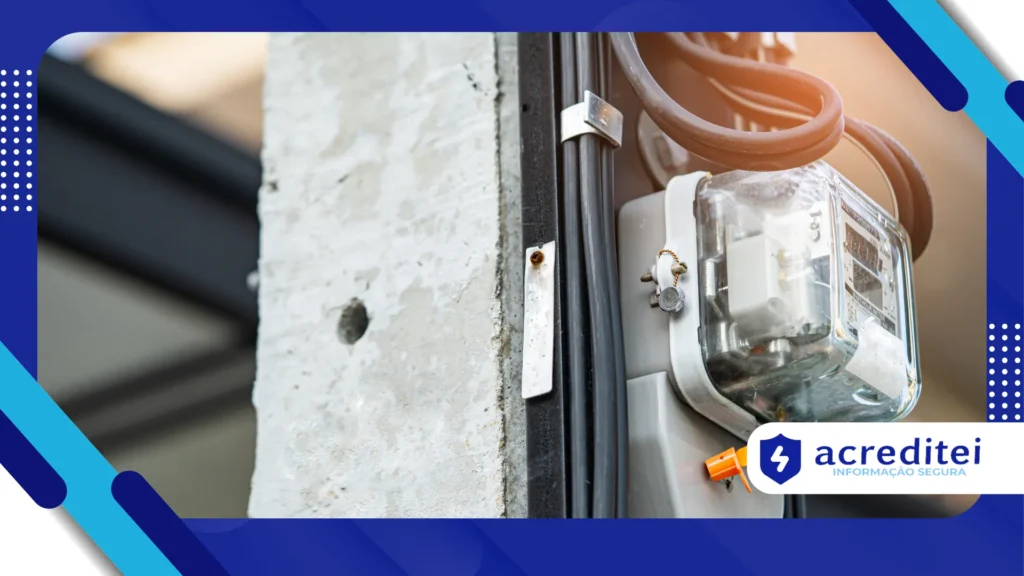
Managing electricity consumption in 2025 goes far beyond simply turning off the lights when you leave. Modern energy providers offer apps that detail daily and sometimes hourly consumption. Analyzing these graphs allows you to identify usage peaks that don't correspond to your actual routine.
Identifying "vampire consumption"—appliances in standby mode that continue to draw electricity—is vital for cost reduction.
Smart TVs, video game consoles, and connected microwaves consume energy just to keep the clock or LED lights on. Unplugging these items or using power strips with switches eliminates this invisible energy consumption.
Technology also helps in creating more economical routines through virtual assistants already present on mobile phones.
Setting reminders to turn off the air conditioning or alerts about shower time fosters discipline. Habit automation, guided by notifications, replaces the fallible human memory in household management.
For those who own newer appliances, checking the "Eco" modes is a neglected technical obligation.
Where can I find and cancel "phantom subscriptions"?
The subscription business model has created a silent financial trap known as forgotten recurring payments.
It's common to sign up for free app trials and forget to cancel before the automatic charge is applied to your credit card. These small amounts, added together, create a significant hole in any family's annual budget.
The app stores (Google Play and App Store) have a specific section called "Subscriptions" in the user's profile.
There, you can view all active services and the dates of upcoming renewals. Reviewing this list monthly is a financial hygiene practice that should be rigorously followed.
Digital banks and financial management apps, through Open Finance, now automatically categorize recurring expenses.
Use the bank statement search function with terms like "Sub," "Play," or "Digital." This helps you locate charges for streaming services or software you no longer use.
Centralizing your subscriptions on a single credit card makes tracking and monthly control easier. If you identify an unrecognized charge, dispute it immediately and cancel the service at the source. Technology should serve to simplify your life, not to drain your resources due to carelessness.
+ Websites that make life easier for university students in Brazil
When does storage optimization prevent cloud upgrades?
Cloud storage has become a fixed expense for millions of people who fear losing their photos and documents.
However, paying for terabytes of storage is often the result of poor file management. Most of the occupied space is made up of duplicates, useless screenshots, and large videos.
Utilize native cleanup tools offered by the cloud services themselves to identify large and disposable files.
Google One and iCloud have storage managers that suggest deleting blurry items or excessively long videos. This digital curation frees up space and postpones the need to subscribe to more expensive plans.
Another effective technique is the compression of old files that do not require immediate access or high resolution.
Converting documents to lighter formats, such as optimized PDF, drastically reduces gigabyte consumption. Old photos can be stored in "High" quality instead of "Original" to save space.
Also consider a hybrid strategy of keeping vital files in the cloud and the rest in local physical storage.
An old external hard drive or USB flash drive can serve as a cold backup for rarely accessed data. Using technology to reduce monthly costs It requires intelligence in managing your digital assets.
Table: Comparison of Annual Savings with Optimization
The table below projects the estimated savings after applying the aforementioned technical adjustments, based on average consumption profiles in major Brazilian capitals (approximate values in Reais).
| Cost Category | Technical Optimization Action | Average Cost Without Optimization (Year) | Average Cost with Optimization (Year) | Estimated Savings (Year) |
| Data Plan | Background restriction / Offline maps | R$ 1,200.00 | R$ 720.00 | R$ 480.00 |
| Electrical Energy | Vampire Consumption Cut/Eco Modes | R$ 3,000.00 | R$ 2,700.00 | R$ 300.00 |
| Cloud Services | Duplicate Cleaning / Compression | R$ 360.00 | R$ 0.00 (Free Plan) | R$ 360.00 |
| App Subscriptions | Auditing and Cancellation of Inactive Accounts | R$ 600.00 | R$ 180.00 | R$ 420.00 |
| TOTAL | — | R$ 5,160.00 | R$ 3,600.00 | R$ 1,560.00 |
Conclusion
Technology, when used passively, tends to generate increasing and often invisible costs in the household budget.
However, by adopting a proactive approach to configuration and monitoring, the scenario is completely reversed.
You transform the same devices that generate expenses into powerful tools for auditing and cost savings.
You don't need to invest in expensive new equipment to start seeing differences in your bank balance.
The key lies in digital maintenance, data cleansing, and a deep understanding of factory settings.
Every megabyte saved and every watt avoided contributes to more robust long-term financial health.
Start today by choosing just one of the areas covered in this article to audit and optimize on your devices.
Consistency in these small digital actions generates a compounding effect, ensuring financial freedom for bigger goals.
To further improve your budget control, we recommend consulting educational materials from organizations such as... Serasa Consumer, which offer supplementary guides.
(Frequently Asked Questions)
1. Does Dark Mode really save battery and power?
Yes, especially on devices with OLED or AMOLED screens, where the black pixels are turned off. Battery savings can vary between 10% and 30%, depending on the brightness level used.
2. Does turning off Wi-Fi when I leave home help reduce costs?
Indirectly, yes, because it prevents the phone from trying to connect to low-quality public networks, saving battery. Furthermore, it increases the security of your data against malicious automatic connections.
3. Are memory (cache) cleaning apps safe to use?
Yes, as long as they are native system tools (Android or iOS) or from trusted developers. They remove temporary files that take up unnecessary space, but they don't delete your photos or personal data.
4. Is it worth switching streaming plans for ad-supported versions?
Financially, yes, as the monthly savings can reach 50% of the subscription value. If commercial breaks don't bother your experience, it's a worthwhile technical trade-off to reduce fixed costs.
5. How can I tell if an old charger is damaging the battery and generating additional costs?
If the device overheats excessively during charging or takes much longer than normal, the charger may be inefficient. This wastes electricity and degrades the battery, bringing forward the need to replace the phone.