Mirror your phone screen to your TV without needing extra cables.
Adverts
Learn to mirror your phone screen on your TV It has radically transformed the way we consume digital content in home and corporate environments.
This technology eliminates the need for tangled cables, expensive adapters, or complex hardware configurations that used to limit the user experience.
By understanding native wireless transmission protocols, you can project videos, work presentations, photos, and applications directly onto a large screen in seconds.
This article analyzes how the main current projection ecosystems work, the compatibility barriers between brands, and a detailed step-by-step guide to optimizing your transmission speed.
Adverts
What is wireless screen mirroring and how does it work?
Wireless image projection involves decoding audio and video data transmitted from a mobile device to a television via a local network.
Modern protocols such as Wi-Fi Direct and Miracast establish integrated point-to-point connections, ensuring that the signal travels without relying exclusively on the external internet.
This decentralized architecture sends information packets in real time, generating an identical copy of your smartphone's interface on the main monitor.
Modern television processors interpret these commands instantly, adjusting the geometric aspect ratio of the image to avoid visual distortions or uncomfortable black bars on the sides.
When the user activates this feature, the phone's operating system manages energy consumption to sustain the continuous flow of data without overheating the device.
This technological advancement has eliminated the old latency problems, allowing for smooth transmissions in resolutions that reach the Ultra HD standard with extreme fidelity.
Why do different operating systems require specific connection protocols?
The technology industry adopts distinct communication standards to protect its product ecosystems and ensure maximum performance between devices of the same brand.
The iOS ecosystem, developed by Apple, exclusively uses the proprietary AirPlay protocol, which requires compatible receivers or certified televisions to function correctly.
Android-based devices, on the other hand, rely predominantly on Google Cast technology or the universal Miracast standard to perform wireless transmissions.
This market fragmentation requires consumers to identify their television manufacturer before starting the smartphone pairing process, thus avoiding software incompatibilities.
To help you understand the technical specifications, resolution limitations, and network requirements of each current platform, the table below details the operational data for the main technologies:
| Transmission Protocol | Lead Developer | Native Mobile Phone Compatibility | Maximum Supported Resolution | Wi-Fi Network Requirement |
| Google Cast / Chromecast | Android 8.0 or higher / iOS via app | Up to 4K UHD at 60 fps | Both on the same 2.4 or 5 GHz network. | |
| AirPlay 2 | Apple | iPhones with iOS 12.3 or later | Up to 4K UHD with HDR | Both on the same 2.4 or 5 GHz network. |
| Smart View / Miracast | Samsung / Wi-Fi Alliance | Android and Windows devices | Up to 1080p Full HD | Wi-Fi Direct connection |
How can I mirror my phone screen to my TV using the Android ecosystem?
The process of mirror your phone screen on your TV On smartphones with Google's operating system, it varies slightly depending on the manufacturer's customized interface for your device.
On Samsung models, the feature called Smart View is located directly in the quick settings panel; simply swipe your finger to activate it.
Motorola or Xiaomi devices often use standardized terminology such as "Cast" or "Wireless Projection" in their internal connectivity menus.
When the button is pressed, the cell phone scans the environment for compatible devices that are connected to the same frequency as the home router.
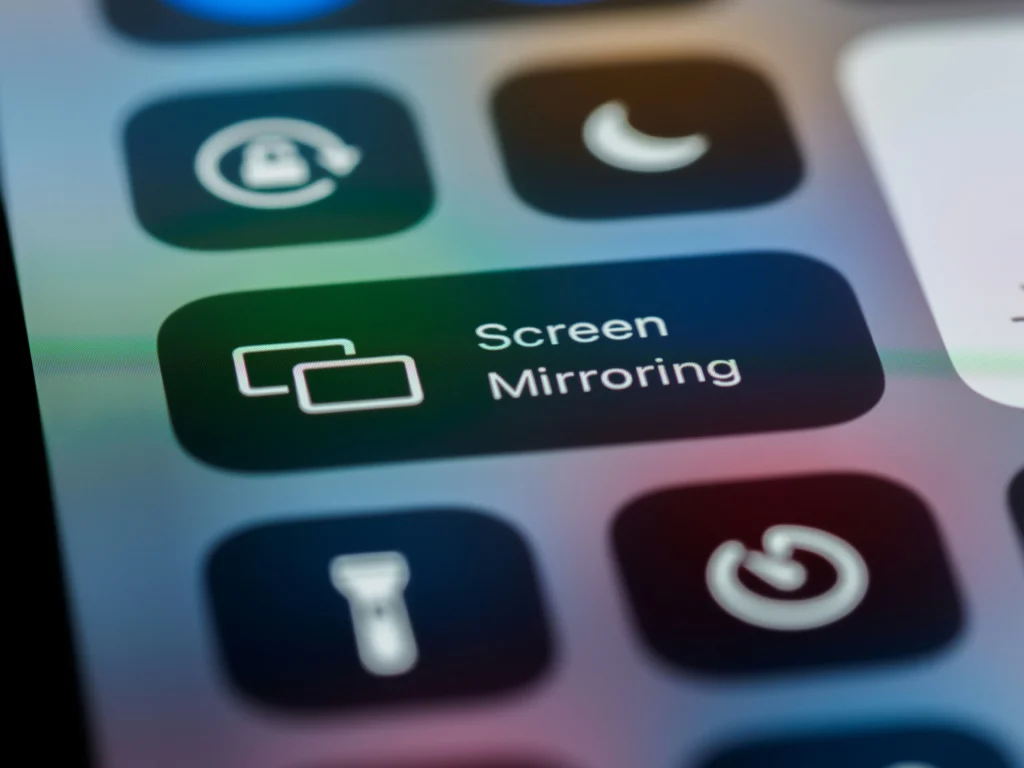
Simply select the name of your TV from the drop-down list displayed on your phone screen to start instantly sharing the video signal.
It is recommended to disable the smartphone's power saving mode during use, preventing unexpected interruptions in transmission caused by processor hibernation.
What barriers can cause delays or failures in data transmission?
The presence of physical barriers and electromagnetic interference between the cell phone, the router, and the television represents the main cause of image freezing and lag.
Thick masonry walls, mirrors, and other electronic devices operating at a frequency of 2.4 GHz often significantly degrade signal stability.
To mitigate these performance issues, network engineers recommend connecting all devices to the 5 GHz frequency, which offers greater bandwidth.
Read more: Apps for sharing large files without losing quality.
Keeping your Smart TV's firmware updated also fixes chronic security flaws and optimizes the drivers responsible for video decoding.
If the freezes persist even on clean networks, it's worth restarting the router to clear the cache of congested IP addresses in the home.
To consult detailed technical guides and connectivity specifications approved by government authorities, you can access the official database of... National Telecommunications Agency (Anatel).
When is it worth investing in third-party apps for pairing?
The use of alternative software becomes necessary when the older television does not have native support for modern mirroring protocols integrated from the factory.
Trusted apps available in official app stores can create efficient communication bridges using universal media protocols such as DLNA.
These secondary tools are ideal for playing local media files, such as videos from your gallery or music, directly on your TV's big screen.
Know more: 6G technology and how it will transform wireless communication.
However, they often display advertisements in the free version and exhibit higher latency in games compared to the system's native projection methods.
The choice of application should prioritize options that demonstrate transparency in the handling of user data and have good technical reviews in the community.
Avoid installing executable files from unverified external sources, protecting the privacy of your personal files against virtual security vulnerabilities.
Wireless Connection: Practical Freedom in the Palm of Your Hand
Mastering wireless projection tools frees consumers from the constraints of physical cables, integrating their devices in a smart, fast, and extremely elegant way.
Read more: Wireless mirroring technology for screens and devices
Understanding protocol compatibility ensures you get the most out of your Smart TV without wasting money on redundant accessories.
The future of home entertainment lies in the absolute simplification of connectivity processes, prioritizing the user's practical experience in any technical scenario.
By applying the correct network settings detailed in this article, your viewing experience will reach new levels of fluidity, clarity, and absolute visual comfort.
To explore in-depth analyses of consumer electronics and technological innovations in the display market, visit the specialized portal. Digital Trends.
Frequently Asked Questions (FAQ)
Can I project my phone screen even if the TV isn't a Smart TV?
Not directly, but you can turn any regular TV into a wireless receiver by using streaming devices like Chromecast, Fire TV Stick, or Roku Express connected to the TV's HDMI port.
Why do some streaming apps show a black screen during mirroring?
This occurs due to copyright protection security locks known as DRM, implemented by platforms such as Netflix and pay-TV channels. These systems intentionally block the wireless capture and retransmission of video to prevent piracy of protected content.
Does wireless screen mirroring consume a lot of smartphone battery?
Yes, the process requires the device's screen to be continuously on, as well as intensive use of the processor and Wi-Fi antenna to compress and send the data. It is recommended to keep the phone connected to the charger if you plan to watch long content.
What is the maximum distance allowed between a cell phone and a TV to avoid signal loss?
For direct connections via Miracast, the recommended range to maintain stability is up to 5 meters without physical barriers. If the transmission occurs through the Wi-Fi router, the distance will depend on the signal coverage of your router throughout the house.