How to find hidden or background apps consuming your data and battery

Adverts
To know find hidden apps that are quietly draining your battery and gobbling up your mobile data may seem like the stuff of digital security experts — but by 2025, that skill has become almost as essential as knowing how to use WhatsApp.
Hidden or active apps running in the background not only harm your device's performance, but also pose real risks to your privacy and bank account, directly or indirectly.
Excessive data usage, sudden battery drain, or unexplained device overheating are usually not just coincidences.
Often, these symptoms are linked to the action of apps that continue to operate even after the user closes them — or worse, even without the user knowing they exist.
Adverts
In this article, you will learn:
- How to identify signs that something is wrong with your device;
- Efficient methods to track and remove invisible apps;
- What the latest data on consumption and safety say;
- Practical tips to prevent the problem from occurring again.
Get ready to regain control of your smartphone.
When your phone works even after you stop
It’s common to install an app and forget about it after using it once or twice. What many users don’t realize is that even when inactive, the app can continue to run processes in the background.
These processes, in addition to consuming energy, make requests to the internet, exchange data with remote servers and access device sensors such as the microphone, GPS or camera.
Imagine that you turn off all the lights in the house when you leave, but when you return you find that your energy bill has tripled.
Upon investigating, he discovers that there are appliances on silent mode — fans, TVs, and lamps that never actually turn off. This is exactly how hidden apps work.
If you've noticed that your battery isn't lasting as long as it used to or that your data plan is running out too quickly, the problem could be these unseen activities.
The solution starts with the right diagnosis.
Read too: The Truth About Free Antivirus: What Do They Really Do?
The main signs that hidden apps are consuming resources
Many of these applications remain invisible to the eyes of the common user.
They do not appear in the start menu, do not issue notifications and are often installed by third parties, camouflaged in malicious links, advertisements or even in seemingly harmless applications.
See the signs that deserve attention:
- Constant heating of the cell phone, even at rest;
- Drastic reduction in battery life, without heavy use;
- Abnormal mobile data consumption, with few visible apps in use;
- Crashes, slowdowns or unusual error messages;
- Appearance of suspicious icons or notifications.
If you have identified one or more of these behaviors, it is time to investigate further. Know find hidden apps can solve the problem before it affects your routine — or your safety.
Look how interesting: How to compress images without losing quality for websites and blogs
The importance of monitoring battery and data usage
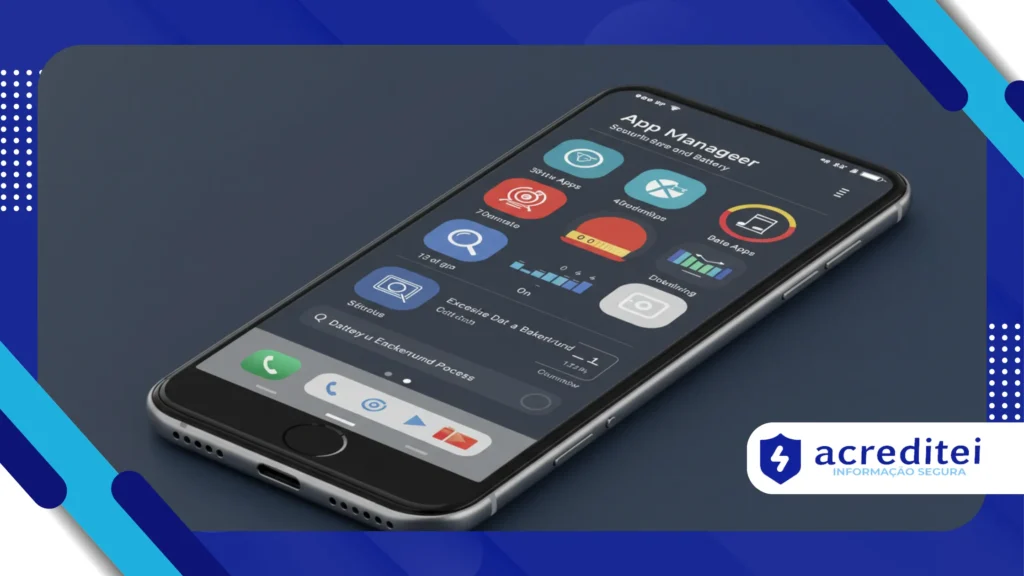
One of the most effective and accessible ways to detect hidden apps is to check battery and data consumption directly in your phone's settings.
On Android, the path is usually Settings > Battery > Battery Usage. On iOS, go to Settings > Battery. For data consumption, go to Settings > Network & Internet > Mobile Data Usage.
These sections reveal which apps are using the most power or connection, even if you're not actively using them.
Many malicious apps operate in cycles, activating at strategic times, such as at night or when the device is connected to Wi-Fi.
According to the “Mobile Malware Report 2024” report, Kaspersky, 19% of threats on mobile devices involve applications that operate in disguise, consuming data and battery while collecting user information.
+ QR Code Reading Apps: Which One Reads Faster and Safer?
As find hidden apps with simple and effective methods
An effective approach starts with using Safe Mode. This feature restarts your phone with only essential system apps.
In it, third-party apps are temporarily disabled, allowing you to identify whether any of them are responsible for strange behavior.
Additionally, browsing the full list of installed apps (including system processes) may reveal software that doesn't appear on the home screen.
On Android, go to Settings > Apps > See all apps and enable the option to show system processes.
On iOS, check the Privacy Report which shows which apps have recently accessed data, location, or sensors.
Another smart solution is to use apps specialized in monitoring suspicious activities.
O GlassWire, for example, visually displays data consumption by application, while the My Data Manager helps identify unusual usage patterns, such as apps that connect to international servers unnecessarily.
When useful apps become silent villains
The bad guys aren’t always malicious. Some of the biggest hidden battery and data drainers are legitimate apps that are poorly optimized or misconfigured.
A health app that tracks steps in real time might be active 24 hours a day. A weather app might make dozens of requests per hour.
The problem is not the app itself, but how it behaves.
A real case was that of Carlos, an IT professional, who noticed his smartphone's battery draining quickly.
Upon investigating, he discovered a “smart watch” embedded in an animated wallpaper, which was constantly accessing his location.
Even without opening the app, it consumed 900 MB per week and 20% of battery charge per day.
In another example, Lívia installed a running app to track her fitness goals. After weeks of using it, she noticed that the app continued to track her location, even when it was closed.
As a result, his data plan would run out in the middle of the month. After checking his energy usage, he realized that the app was using resources all the time without warning.
How to prevent invisible apps in the future
Preventing this type of problem from happening again requires changing habits.
The first recommendation is to download apps exclusively from official sources, such as Google Play Store and the App Store.
Still, this doesn't guarantee 100% security, as fraudulent apps sometimes escape the guidelines and are temporarily published in the stores.
Other important practices:
- Check reviews and comments before installing any app;
- Be wary of apps with generic names or lots of internal ads;
- Analyze the permissions requested: why would a flashlight app ask for access to the microphone?
- Keep your operating system up to date;
- Use reliable antivirus software with real-time scanning and anomalous behavior detection capabilities.
If possible, enable two-step verification on your primary accounts and monitor notifications for login attempts or unrecognized access.
This action could certainly indicate that data was extracted by some hidden app.
Why does this problem also affect your pocket?
With the most limited and expensive data plans in Brazil — the cost per mobile GB is one of the highest in the world, according to a survey by Cable.co.uk — leaving apps running in the background without knowing it can mean extra expenses at the end of the month.
If you use a limited amount of internet, a single hidden app can consume 2 GB per week without you noticing.
Furthermore, the higher the battery consumption, the greater the need for recharging, reducing the device's lifespan.
Not to mention the time wasted trying to understand why the device is so slow or unstable.
The direct relationship with your digital security
The problem goes beyond energy and internet consumption. Many hidden or malicious apps act as gateways for attackers.
They access real-time location, can record audio or take screen shots silently, and send this information to remote servers.
This data can be used for social engineering, fraud, password leaks and even digital blackmail.
Having control over the apps installed on your device is not just a question of performance: it is a matter of personal protection.
Conclusion: Mastering your cell phone is mastering your privacy
To know find hidden apps by 2025 is part of modern digital literacy.
In a scenario where silent surveillance is as accessible as a free app, there are only two options: maintain control or be controlled.
The good news is that with a few simple steps and careful attention to settings and permissions, you can avoid many of these threats and significantly improve your phone's performance.
And remember: it’s not just the phone’s problem — it’s yours too. After all, the true value of a device lies in how it serves you, not the other way around.
Frequently Asked Questions
1. Is every background app dangerous?
No. Some apps need to run in the background, such as email or messaging services. The problem lies in apps that do this unnecessarily or without transparency.
2. Is there any automatic way to detect these apps?
Yes. Applications like GlassWire and reputable antiviruses do this real-time monitoring and alert you to abnormal behavior.
3. My phone is slow. Could it be a hidden app?
Absolutely. Apps running in the background can overload the system, using RAM and CPU, which causes general slowdowns.
4. Do I need to be a technician to solve this?
No. With the right steps and attention to settings, any user can monitor and remove these apps.
5. Is deleting the app enough?
It depends. Some apps leave hidden files even after uninstallation. In this case, a complete cleanup with trusted apps or a factory reset is recommended.