How to charge your cell phone correctly and avoid damaging the battery.
Adverts
To know How to charge your cell phone correctly. Perhaps the biggest challenge for those who want their smartphone to last longer is this: in 2025, we are still held hostage by the battery percentage.
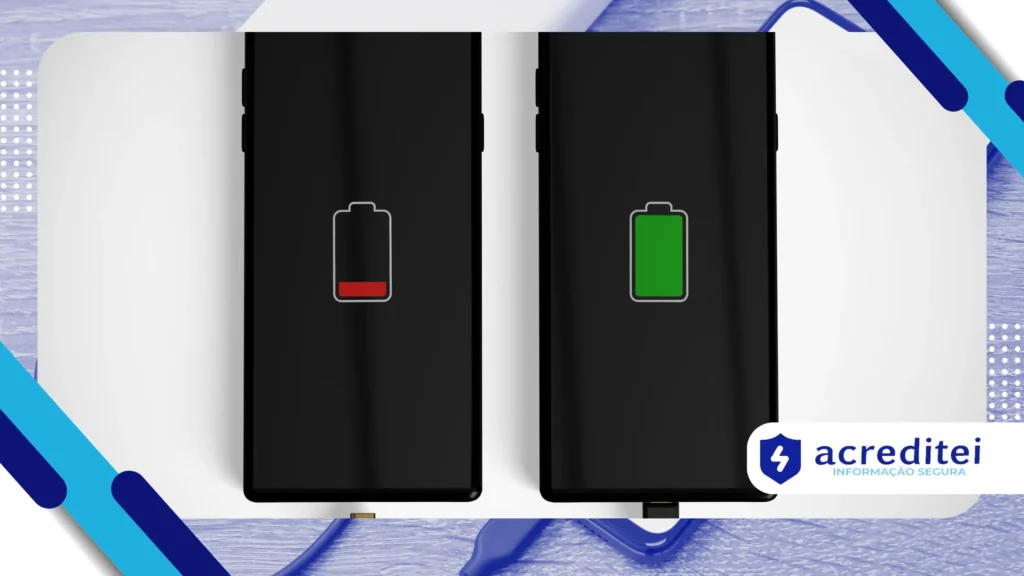
The anxiety of seeing the red icon flashing is real and universal. However, many practices we adopt are based on old myths, from the time of nickel batteries.
These outdated habits may, ironically, be speeding up the demise of your device. Modern lithium-ion (Li-ion) batteries require completely different and more intelligent care.
The good news is that preserving battery health is easier than it seems. Simple adjustments to your daily routine can double the component's lifespan, saving you money.
Adverts
This comprehensive and up-to-date guide will demystify this process. We'll focus on the science behind charging and the practical actions you can take today to protect your investment.
Summary:
- What exactly will "addict" a cell phone battery in 2025?
- How does heat affect the health of your battery?
- What is the ideal percentage to charge a cell phone?
- Is charging up to 100% really harmful?
- Why has charging your cell phone overnight become a myth?
- Does fast charging reduce battery life?
- Which chargers and cables should I use?
- Is wireless charging worse for the battery?
- How does mobile phone software help protect the battery?
- Summary Table: Best Practices.
- Conclusion: What did we learn?
- Frequently Asked Questions (FAQ).
What exactly will "addict" a cell phone battery in 2025?
First, we need to debunk the most famous myth: modern batteries don't "get addicted." This popular term referred to the "memory effect," a problem that only affected older nickel-cadmium batteries.
Your current smartphone, whether Android or iOS, uses lithium-ion technology. These batteries are lighter, more efficient, and do not suffer from the memory effect at all.
However, they suffer another type of wear and tear: chemical degradation. The battery doesn't "get addicted," it simply ages and loses its ability to retain the same amount of energy as before.
This aging process is inevitable, but it can be drastically accelerated by bad habits. That's why a two-year-old cell phone can have a battery that lasts half as long as it originally did.
The real villains of lithium batteries are three: deep charge cycles, high voltage (overcharging), and worst of all, extreme heat.
How does heat affect the health of your battery?
Heat is undoubtedly the number one enemy of your battery. Lithium-ion batteries work best in mild temperatures, similar to those we humans consider comfortable.
When a cell phone overheats, internal chemical reactions are accelerated. This causes permanent and irreversible damage to the battery's internal components, reducing its total charging capacity.
This overheating can come from various sources. Leaving your cell phone on the car dashboard in the sun is one of the worst things you can do. The heat can reach critical levels quickly.
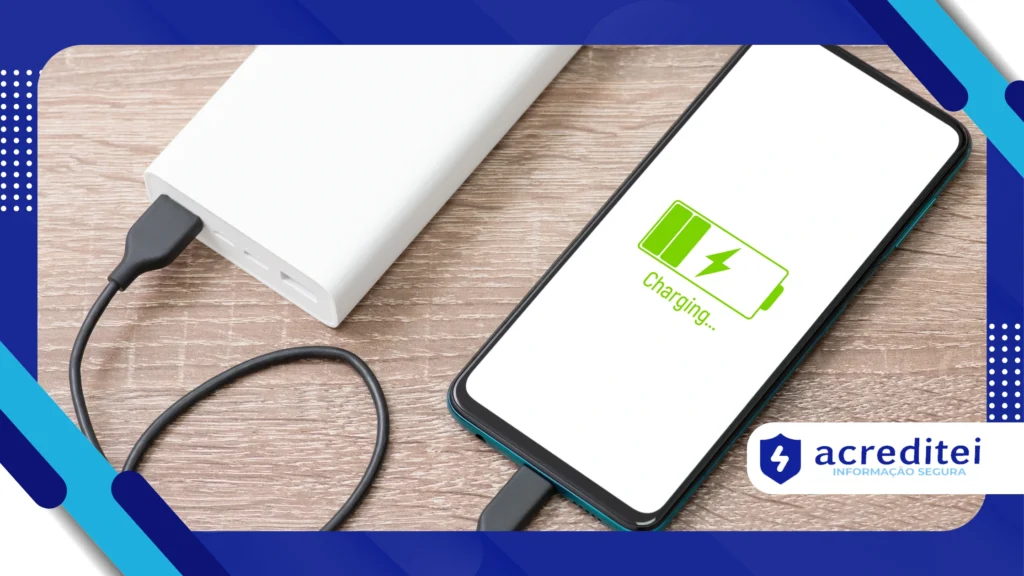
Another common source of heat is the charging process itself. Especially if you're using fast charging or playing a demanding game while the device is plugged in.
Even very thick or rubberized phone cases can contribute. They hinder the natural dissipation of heat generated by the device, creating a greenhouse effect around the battery.
To Charging your cell phone the right wayThe environment needs to be cool. If you notice that the appliance is getting too hot, unplug it and let it "breathe" a little.
Online translators that go beyond Google: the best alternatives
What is the ideal percentage to charge a cell phone?
Forget the old rule of letting your cell phone completely discharge (0%) before charging it to 100%. For lithium batteries, this practice is extremely harmful and stressful.
Allowing the battery to reach 0% puts unnecessary chemical stress on the power cells. Doing this repeatedly can lead to premature failure or drastically reduce its lifespan.
On the other extreme, keeping the battery constantly at 100% is also not ideal. When the battery is fully charged, it is in a "high voltage" state, which also stresses it.
Technology experts and reference portals, such as Battery University (maintained by Cadex Electronics), are clear: the ideal operating point for lithium is between 20% and 80%.
Keeping your phone within this golden range minimizes stress at both extremes. This reduces wear and tear from charging cycles and maximizes the number of cycles the battery will withstand.
Of course, this doesn't mean you need to be obsessed with numbers. Technology has evolved to help us, but the general rule is: avoid extremes whenever possible.
Is charging up to 100% really harmful?
Many people panic when they see their phone reach 100%. The truth is, reaching 100% isn't the problem. The problem is... remain in 100% for extended periods.
Imagine the battery as a rubber band. Charging it to 100% is like stretching that rubber band to its maximum capacity. Doing it for a second is fine, but keeping it stretched for hours wears it down.
That's exactly what happens when you leave your cell phone plugged in overnight and it reaches 100% at 2 AM, but you only unplug it at 7 AM. That's five hours in a high-voltage state.
Fortunately, modern operating systems (iOS and Android) already have solutions for this. They have learned the importance of... Charging your cell phone the right way to protect the hardware.
Why has charging your cell phone overnight become a myth?
The fear of charging your cell phone overnight stems from two concerns: the myth of "addiction" (which we've already debunked) and the fear of overloading (burning out the device).
Let's reassure you on the second point: it's impossible to overload a modern smartphone. All quality devices have management chips that cut off the power as soon as they reach 100%.
The real problem, as mentioned, was high voltage stress. However, today we have "Optimized Charging" (on iOS) or "Adaptive Charging" (on Google Pixel phones and other Android devices).
This smart feature uses machine learning to understand your routine. If you go to sleep at 11 PM and wake up at 7 AM, your phone will quickly charge to 80% and stop.
It then calculates the remaining time and only injects the final 20% just before your alarm goes off. This way, the device reaches 100% exactly when you need it, without you having to wait for hours.
Therefore, charging at night is no longer a problem. provided that You need to activate this smart charging function in your device's battery settings. It's an essential feature.
If your phone doesn't have this function, an alternative is to use a slower charger (5W, for example) overnight. It generates less heat and takes longer to reach 100%.
+ How does airplane mode work? Myths and truths about the technology
Does fast charging reduce battery life?
Fast charging is one of the greatest conveniences of modern life. Going from 0% to 50% in 20 minutes is fantastic. But this convenience comes at a physical cost.
The fast charging process involves pushing a much larger amount of energy (high voltage and amperage) into the battery in less time. The physics is clear: this generates more heat.
And, as we've already established, heat is the battery's main enemy. Using "fast charge" constantly, especially in an already hot environment, will degrade your battery faster.
Manufacturers claim their systems are safe and software-managed. This is true. The software slows down the charging speed when the battery overheats or exceeds the 80% limit.
The best approach is balance. There's nothing wrong with using fast charging when you're in a hurry and need power quickly. That's what it's designed for.
However, if you're going to charge your phone overnight or for an extended period at the office, opt for a slower charging speed. This is a smart way to... Charging your cell phone the right way.
Which chargers and cables should I use?
This point is crucial for the safety and health of your battery. The golden rule is: always use the original (OEM) charger that came with your phone or a replacement from the manufacturer.
If you need a second charger or cable, invest in reputable and certified third-party brands. For Apple products, always look for the MFi (Made for iPhone) seal.
This certification guarantees that the accessory has the security chips required by Apple and meets quality standards, protecting your device against power surges.
In Brazil, quality chargers must also have INMETRO certification, which attests that the product has passed basic safety tests against shocks and overheating.
The biggest danger lies in "pirate" or excessively cheap chargers and cables. They cut corners precisely on safety components, such as voltage regulators.
Using one of these products is a gamble. They can send unstable power to your cell phone, permanently damaging the battery or, in extreme cases, causing short circuits and even fires.
To deepen your knowledge about electrical safety and electronic product certifications, visit the official INMETRO website. (National Institute of Metrology, Quality and Technology)) offers clear guidelines on what to look for when buying chargers.
Is wireless charging worse for the battery?
Wireless charging (or inductive charging, Qi standard) is elegant and practical. Simply place your phone on a base. However, in terms of efficiency and battery health, it has disadvantages.
The process of energy transfer by magnetic induction is not 100% efficient. Some energy is lost during the transfer, and this lost energy is converted into heat.
Wireless charging generally generates significantly more heat than standard (slow) wired charging. Both the phone and the charging base get hot.
If you use a thick case, the problem worsens because the heat gets trapped. Furthermore, if the phone isn't perfectly aligned on its base, efficiency drops even further, generating more heat.
Again, it's a matter of balance. Using the wireless charger on your desk to maintain the charge throughout the day is great. But avoid it for long charging sessions in hot places.
How does mobile phone software help protect the battery?
Manufacturers have finally understood that software is a vital ally for Charging your cell phone the right wayHardware only goes so far; the system's intelligence does the magic.
As we've already mentioned, "Optimized" or "Adaptive" Charging is the main tool. If you haven't already activated it, do so now in your device's "Battery" settings.
Furthermore, modern systems have very effective power-saving modes. They reduce background processes, lower brightness, and limit the screen refresh rate.
Using these modes when the battery is low (below 30%, for example) helps prevent it from frequently reaching the critical level of 0%, protecting it from the stress of deep discharge.
Many devices also display "Battery Health" (like on iOS), showing the current maximum capacity compared to when the device was new. It's a good indicator of how your battery habits are performing.
+ Difference Between Cookies, Cache and Browser History
Summary: Best Practices for Charging Your Cell Phone Correctly
To consolidate everything we've seen, we've prepared a quick table. It summarizes the recommended actions and practices to avoid in order to maximize your battery's lifespan in 2025.
| Recommended Practice (What to do) | Harmful Practice (What to Avoid) |
| Maintain the charge preferably between 20% and 80%. | Letting your cell phone completely discharge (0%) frequently. |
| Use original or certified chargers (MFi, INMETRO). | Using cheap, counterfeit chargers or damaged cables. |
| Enable the system's "Optimized" or "Adaptive" Loading. | Leaving your phone plugged into the wall for hours (e.g., overnight without optimization). |
| Charge the device in a cool place, preferably without a case. | Charging your phone in the sun, inside a car, or while playing demanding games. |
| Use fast charging for emergencies; slow charging for routine use. | Always use "Fast Charging," especially in hot places or at night. |
| Give small charges throughout the day (e.g., from 40% to 70%). | Doing only complete cycles (from 0% to 100%) because of belief in myths. |
Conclusion
The way we care for batteries has changed radically. If before the rule was "drain before recharging," today the rule is "avoid extremes." Lithium-ion technology prefers moderation.
To understand How to charge your cell phone correctly. It's not about following strict rules, but about creating a healthy environment for your device: less heat and less voltage stress.
Use technology to your advantage. Activate the smart charging features of your operating system and invest in quality accessories. They are the front line of defense for your device.
By adopting these practices, you're not just ensuring your phone lasts all day. You're increasing its overall lifespan, saving money, and even helping the environment.
Frequently Asked Questions (FAQ)
Can I use my cell phone while it's charging?
It depends on the usage. Replying to messages or reading emails (light tasks) doesn't cause problems. However, avoid heavy tasks such as playing 3D games or doing video editing.
These activities generate heat, which adds to the heat from charging, stressing the battery.
Do I need to charge a new phone to 100% before using it?
No. That's another myth from the nickel battery era. New cell phones with lithium batteries already come with a partial charge (usually between 40% and 60%), which is ideal for storage. You can start using it immediately after taking it out of the box.
Does leaving Wi-Fi, Bluetooth, or GPS on drain the battery faster while charging?
Yes, these connections do consume energy. If they are active and searching for a signal or transferring data, the cell phone will require more energy.
This may result in a slightly longer total charging time and may generate a slight additional heat, but the impact is minimal.
Does airplane mode help with faster charging?
Yes. Airplane mode turns off all wireless connections (cellular, Wi-Fi, Bluetooth, GPS). Because the phone uses less power to stay connected, more power from the wall outlet is directed exclusively to the battery, resulting in a slightly shorter charging time.